The AI agent
Pip
An AI agent that works on your floor, not in a chat window.
Pip notices who walks in, listens, decides what to say, and gets things done through your systems. It is software. The robot is how it gets around.
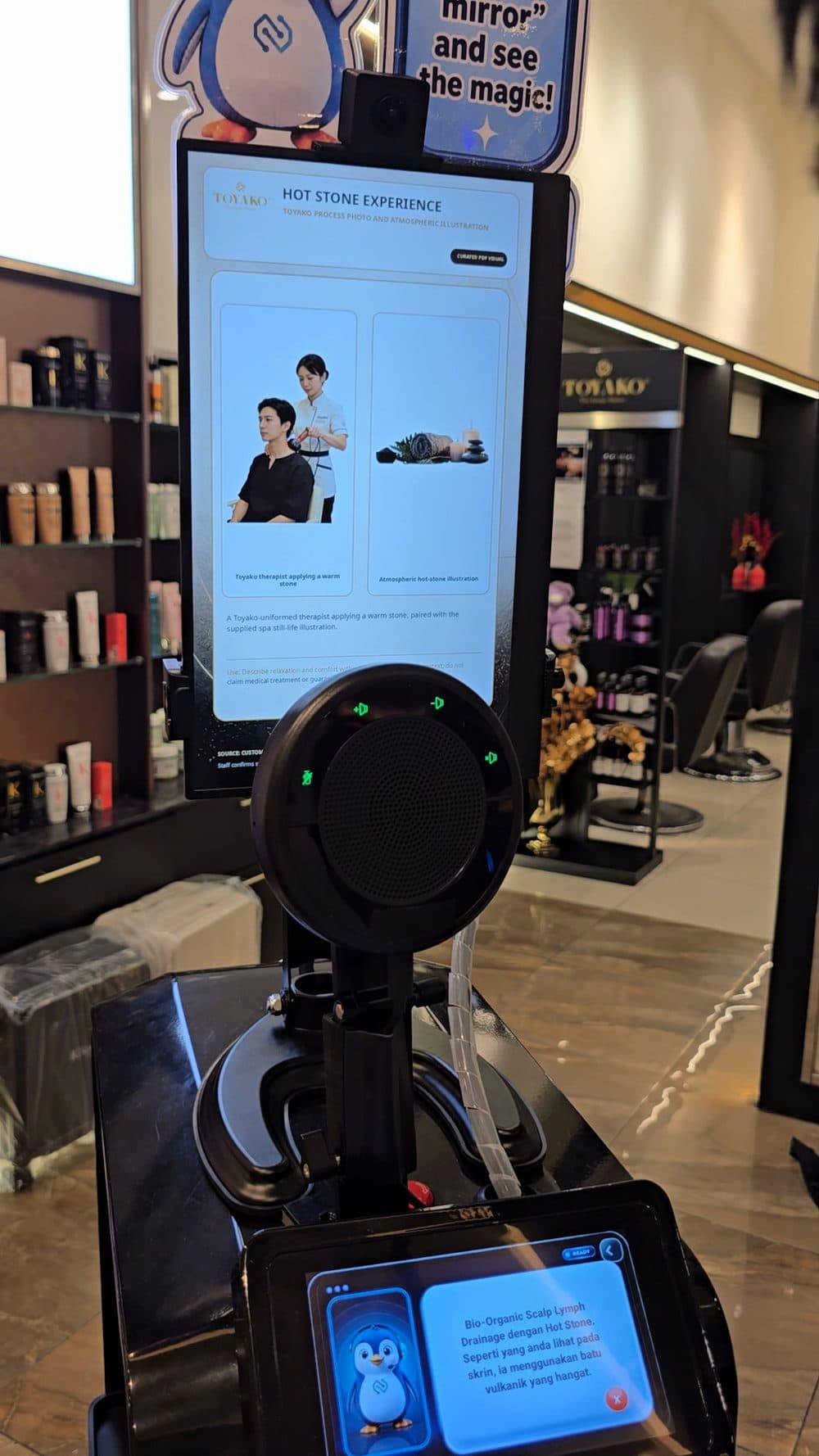
On screen, Pip looks like a blue penguin. That is only its face. The agent is what decides what the penguin says.
How Pip works
It sees. It listens. It decides. It acts.
The same loop runs every time someone walks up, in a restaurant, a shop or on a patrol round.
01
Sees
Notices when someone comes near, and how many people there are.
A family of four walks in. Pip turns to greet them.
02
Listens
Understands spoken questions, in more than one language.
“Is this one spicy?”
03
Decides
Picks what to say or do next, using the rules and information you give it.
The table has finished eating. Pip offers dessert. If they say no, it stops.
04
Acts
Gets it done through your systems: shows a QR code, sends an order, hands over to your staff.
On a security patrol, it can send a report at the end of each round.
At work today
What Pip does for venues now.
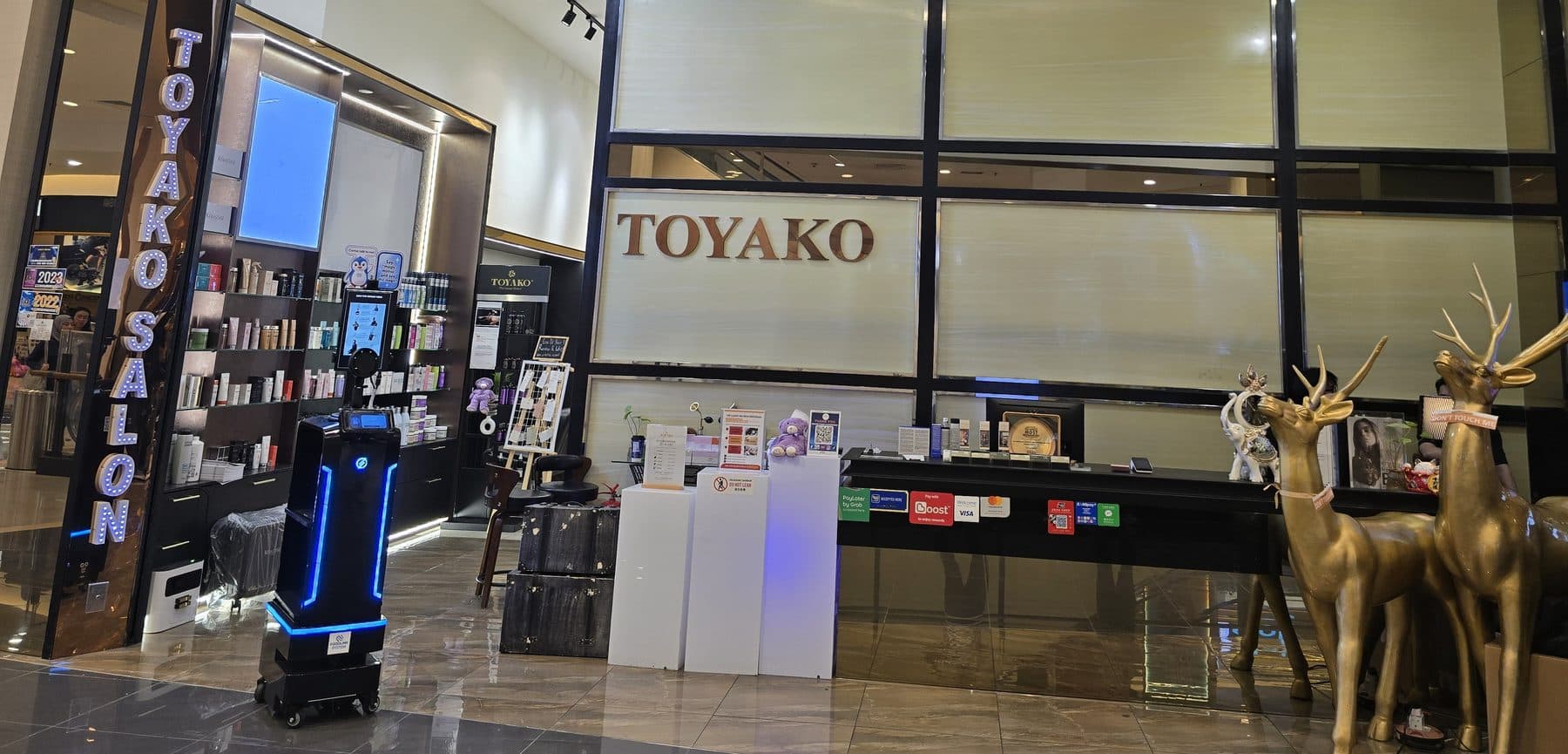
These are the jobs Pip does at our customer sites: restaurants, a hair salon and a coffee shop.
Google reviews
Pip asks at the moment the customer looks happy, and shows a QR code.
Recommending
Suggests a dessert, a drink, an add-on or a service, then stops when told no.
Your campaign
Plays your video on the tall screen, then answers questions about it.
Handover to staff
Hands the customer to a person at the point you choose.
Set up for your venue
Pip works inside the limits you set.
Every venue gets its own Pip. Before it starts, we load four things with you.
- 01
What it knows
Your menu or services, your prices, your hours, and your current offers.
- 02
What it may do
Which questions it answers, what it recommends, and when it asks for a review.
- 03
What it must never do
Topics it stays away from, and things it must never quote or promise.
- 04
Who takes over
The person Pip hands the customer to, and at which point.
The owner's view
And you see what it did.
A dashboard shows what Pip did, what customers asked, and how your reviews are moving. It updates itself.
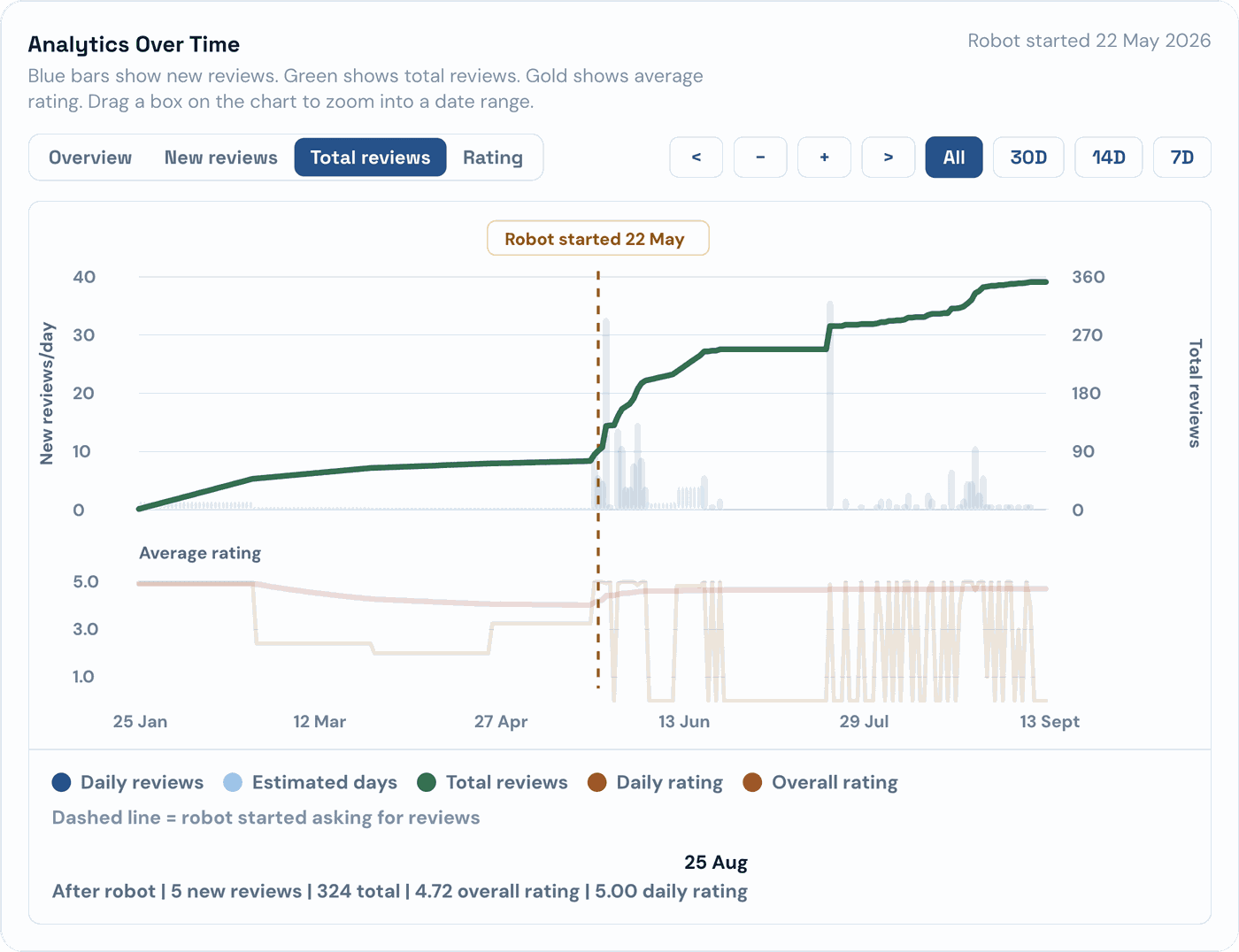
A real venue's dashboard. The dashed line is the day Pip started asking for reviews.
The body it runs on
Nothing in Pip assumes a robot.
It needs a way to see, a way to speak, and something to control. Today that is FL1, our mobile platform. FL2, a second body, is available to order now.
Same agent, different room
Wherever people walk in, Pip can be there.
The same Pip, set up with each place's own facts, offers and way of talking.
Animations, not customer venues.
The little things
Birthdays
Sings for the birthday table.
Announcements
Tells the room about last orders and offers.
A dance
Dances when guests ask it to.
Goodbyes
Waves guests off at the door.
Pip World
Talk to Pip yourself, in your browser.
Pip World puts Pip in demo venues online: a hotel lobby, a supermarket, an airport, a clinic and more. Tap the mic and ask Pip what a guest would ask. It answers out loud, shows you the way, and can even dance.
Pip World is at pip.foodlinksystem.com. You need an access code to get in, and we send it to you on WhatsApp.
- 01
WhatsApp us for a code
Tell us what kind of place you run. We reply with your access code.
- 02
Open pip.foodlinksystem.com
Enter the code and pick a venue to walk into.
- 03
Tap Talk to Pip
Allow the microphone and turn your sound on. Pip talks back.
See it before you try it.
Two real conversations in Pip World, with Pip on FL2. Tap a video to play it with sound.
Pip at a hotel
Answers a breakfast question, walks the guest there, switches to Cantonese and dances.
Recorded live in Pip World. The hotel and its offers are made up.
Pip at a mall
Shows today's deals, walks the shopper to the shop and answers in Mandarin.
Recorded live in Pip World. The mall, shops and offers are made up.
Where Pip can work
One agent, set up for each place.
Built for
Restaurants · Cafés · Salons · Supermarkets · Hotels · Events
Can also be set up for
Airport guide
Directions, flight and facility questions, and concierge help.
Safety & inspection
Rounds that check a site and report what they find.
Security patrols
Routine patrols, with a report at the end of each round.
Can I try Pip before I get a robot?
Yes. Pip World, at pip.foodlinksystem.com, lets you talk to Pip in demo venues in your browser. You need an access code: WhatsApp us at +60 17-725 6890 and we send you one.
Is Pip the penguin on the screen?
The blue penguin is how Pip appears on the screen. Pip itself is the AI agent behind it: the software that notices people, listens, decides what to do and talks to them.
What languages does Pip speak?
More than one. At Toyako, Pip explains salon services in Malay. Tell us the languages your customers use when we set Pip up for your venue.
Can Pip connect to my POS?
Yes, where the POS allows it. At Sour Little 7, Pip is connected to the FeedMe POS, so it knows what every table ordered and when, and decides when to visit each table.
Who decides what Pip says?
You do. When we set Pip up, we load what it knows about your venue, what it may do, what it must never say, which systems it may use, and who it hands customers to. Pip works inside those limits.